How to Accept Online Donations in WordPress (2026 Guide for Nonprofits + Free Plugin)

accept online donations WordPress
Accepting donations online should be simple… but for many nonprofits, it’s not.
Many organizations lose potential donors because their website:
  • Is too complicated
  • Doesn’t support easy
  • payments
  • Lacks trust
👉 The good news? You can fix all of this in under 10 minutes.

🚨 Why Most Nonprofits Fail to Collect Donations Online

Understanding the problem helps you rank better

❌ Complex Setup

Most donation systems require coding or multiple plugins.

❌ No Trusted Payment Gateway

Without secure payment options like UPI or cards, donors hesitate.

❌ Manual Receipt Management

Sending receipts manually wastes time and causes errors.

❌ Poor User Experience

If donation takes more than 30 seconds → users leave.
Many nonprofits are now searching for ways to accept online donations WordPress without technical knowledge. The right tools can simplify the entire process.

✅ The Easiest Way to Accept Donations in WordPress

The best solution is using a dedicated WordPress donation plugin designed for nonprofits.
👉 Introducing:

🔥 Smart Donation Plugin for WordPress

A powerful solution that helps you:
Accept donations instantly Automate receipts Manage donors easily

⚡ Features That Make It #1 Choice for Nonprofits

💳 Secure Payment Gateway (Razorpay)

  • Accept UPI, Cards, Net Banking
  • Safe & verified transactions
  • Test & Live mode available

👉 Builds instant trust with donors

🎯 Easy Donation Form Builder

  • Create unlimited donation forms
  • Add preset amounts (₹100, ₹500, ₹1000)
  • Allow custom donation amount

👉 Perfect for fundraising campaigns

📩 Automatic Donation Receipts

  • Send instant email receipts
  • Manual control option
  • Includes PAN & mobile fields

👉 Saves hours of manual work

🎨 Elementor Integration (No Coding Needed)

  • Drag & drop donation form
  • Fully customizable design
  • No shortcode required

👉 Anyone can build it easily

📊 Complete Donation Dashboard

  • Track all donations
  • View donor details
  • Manage receipts

👉 Full control in one place

🚀 How to Accept Donations in WordPress (Step-by-Step)

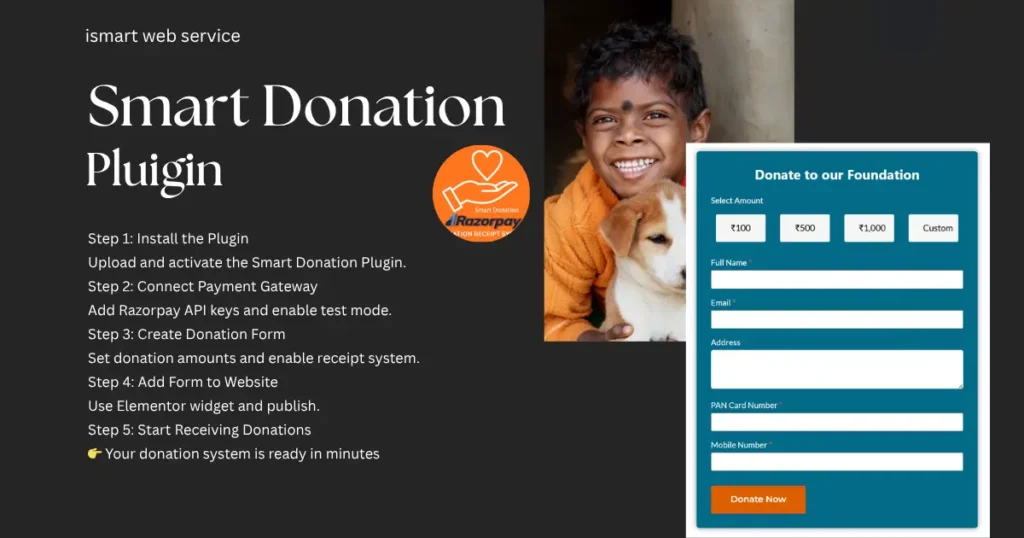
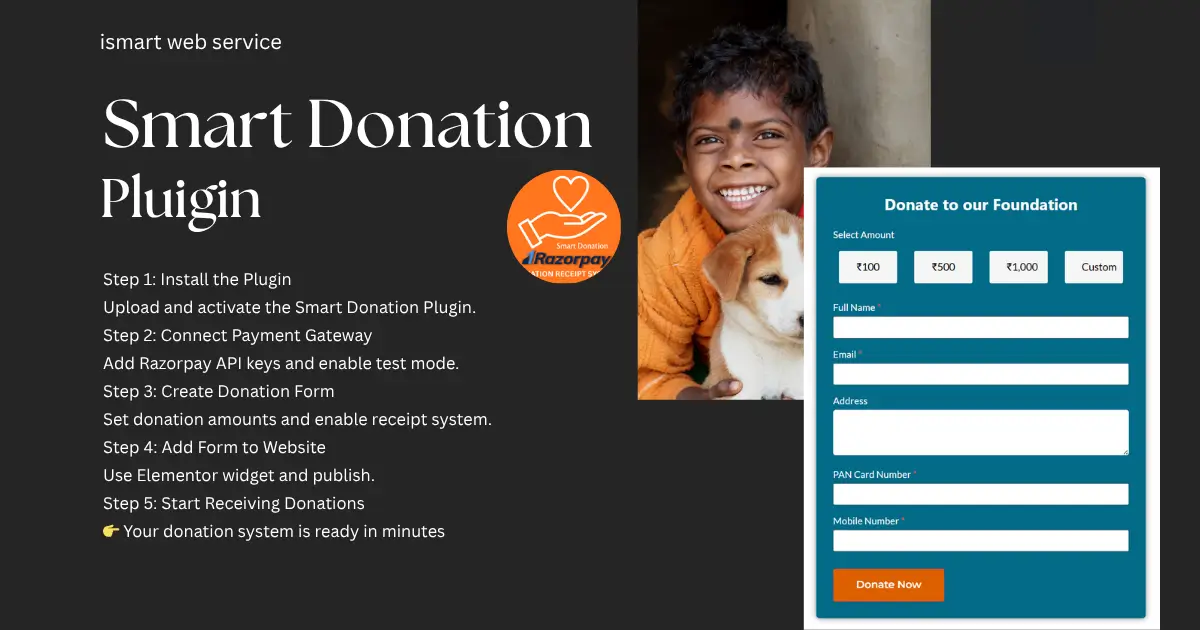
  • Step 1: Install the Plugin
  • Upload and activate the Smart Donation Plugin.
  • Step 2: Connect Payment Gateway
  • Add Razorpay API keys and enable test mode.
  • Step 3: Create Donation Form
  • Set donation amounts and enable receipt system.
  • Step 4: Add Form to Website
  • Use Elementor widget and publish.
  • Step 5: Start Receiving Donations
  • 👉 Your donation system is ready in minutes

📈 How This Increases Your Donations (SEO + Conversion Trick)

Using this system helps you:
  • Increase donor trust
  • Reduce donation friction
  • Automate processes
  • Improve user experience
👉 Result: More conversions + higher donations

🧠 Pro Tips to Get More Donations (VERY IMPORTANT)

Google ranks blogs with helpful tips higher 👇
  • Use emotional headlines (“Support a Child Today”)
  • Show impact of donation
  • Keep form simple
  • Add testimonials
  • Use mobile-friendly design

❓ FAQs

Using a dedicated donation plugin with payment gateway integration is the easiest and most secure method.

Yes, plugins like Smart Donation Plugin allow you to create donation forms using Elementor without coding.

Razorpay is one of the best options as it supports UPI, cards, and net banking.

You can enable automatic receipt generation in your donation plugin settings.

🎯 Final Thoughts

Accepting donations online doesn’t have to be complicated.
With the right setup, your nonprofit website can:
  • Collect donations easily
  • Build donor trust
  • Grow faster
👉 A smart donation system turns your website into a fundraising machine.

Get a Free Consultation from iSmart Web Service

👉 Want a professional nonprofit website with a donation system?

Recent Blog